

Ask your AI what is really running. It answers from Avantra.
Ask an AI assistant why your SAP landscape is unhealthy and get a real answer grounded in live Avantra data, scoped to what that user is allowed to see, and inside your own network.
Avantra already knows the state of every system, check and dependency in your estate. The MCP server opens that knowledge to the AI tools your team already uses. Instead of clicking through screens to work out what's wrong, someone asks and the agent does the digging.
Book a DemoDiscover, investigate, and plan in one conversation
Shaped around how SAP operations people work rather than around our data model.
Find What's Broken
The agent surfaces the systems and checks needing attention, worst first. No dashboard hunting.
Work Out Why
A deep dive on a failing check: current result, status timeline, the dependency chain above it, and what else is failing alongside it. Where AIR is enabled, the root-cause report comes straight into the conversation.
See the Blast Radius
From one failure, the agent maps outward - which linked systems are also unhealthy, what else went critical in the same window. The step teams skip under pressure, and the one that turns three incidents into one root cause.
Close It Out
Use your agent to create remediation plan, acknowledge an alert and more.
The reasoning happens in your agent. The execution happens in Avantra. Permissioned, logged, deterministic. Your agent proposes; Avantra is the record of what was actually done.
An Agent with Your Permissions. Not Root.
Every call runs as the authenticated user, through the same permission model as the interface. If they can't see a system on screen, their agent can't see it either - re-checked on every request, so a revoked permission takes effect mid-conversation.
Requires an explicit admin setting and a restart. It cannot be switched on by accident.
Six of seven tools are read-only. The seventh acknowledges alerts and re-runs checks - it cannot change configuration or trigger automation.
The server runs inside your Avantra instance. No outbound connection to us, no vendor-operated tunnel in. Every tool call is logged and rate-limited per user.
Join the Beta
We're looking for teams who'll actually use it and tell us where it breaks - particularly organisations running multiple SAP estates. In return you get enablement support, a direct line to the product team, and influence over what ships next.
Not ready for beta? Talk to us about where AI fits in your SAP operations →
Request Beta Access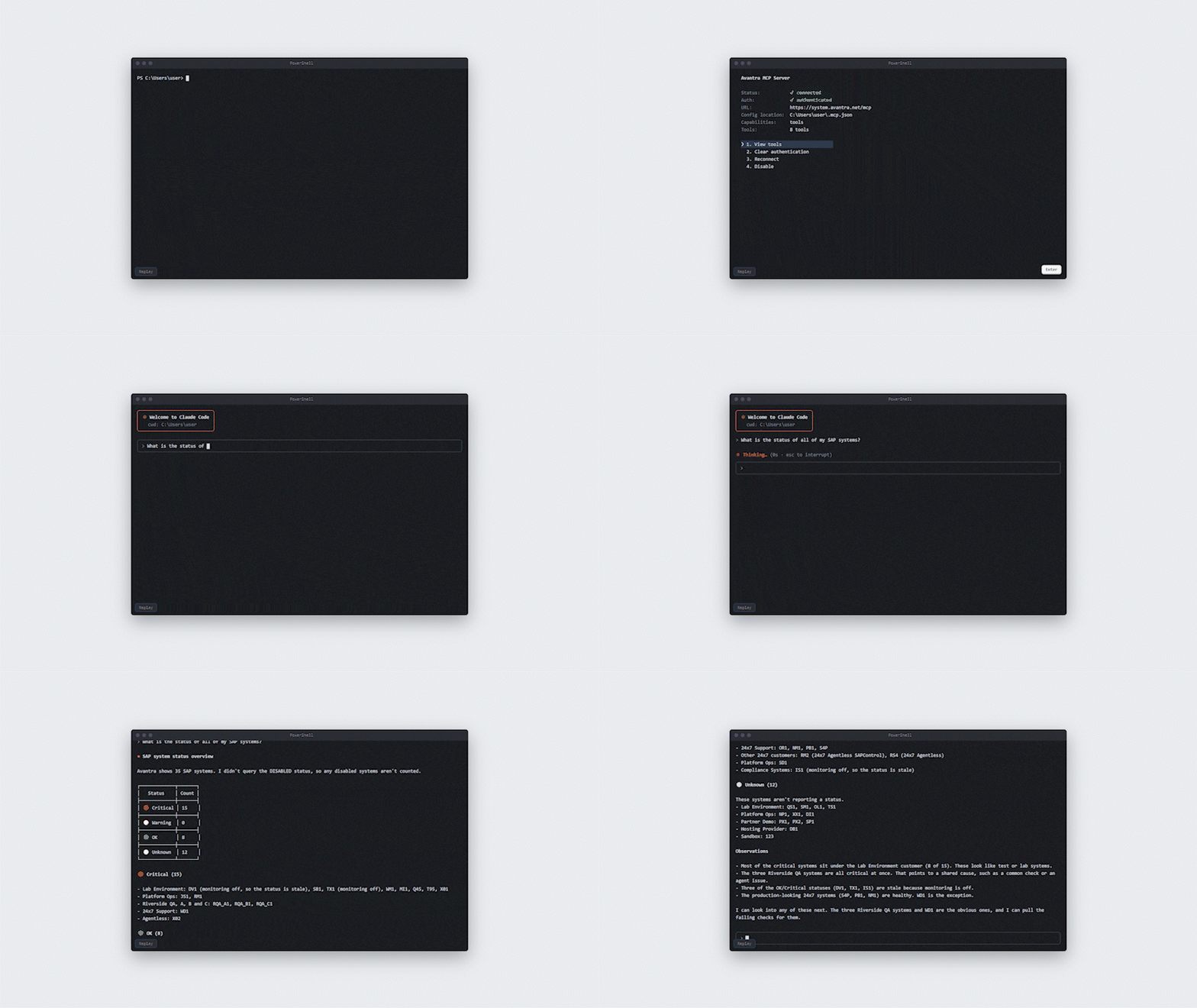
Direct access to the product team
A dedicated Slack channel with the engineers building it. No ticket queue, no account rep in the middle.
Shape what ships next
Your feedback determines the roadmap. We're building this with teams who'll actually use it, not around guesses.
Enablement from day one
Onboarding session, early documentation, and ongoing support through the beta cycle at no extra charge.
Frequently Asked Questions
Have questions? We've answered the most common ones. Reach out if you'd like to know more about an MCP Server.