

AI root cause analysis for SAP
Avantra AI Root Cause Analysis is an AIOps capability for SAP operations that diagnoses outages and recommends the next best action. Open an alerting check and get the cause, the evidence and the next step, in plain language.
Root cause reports
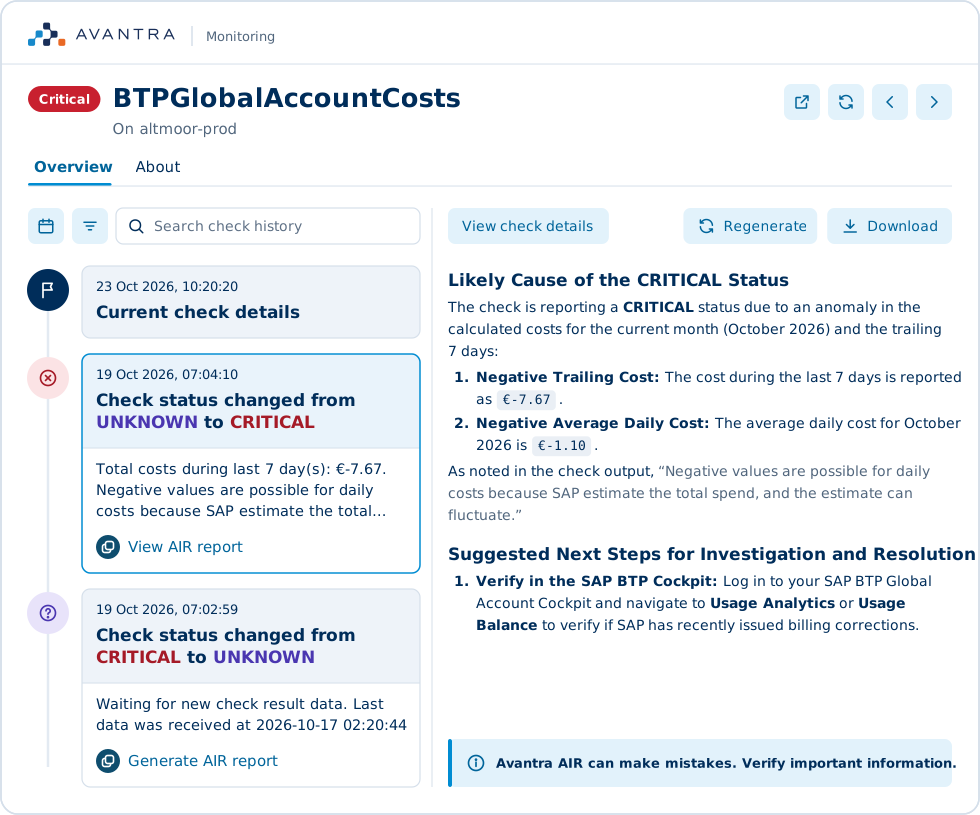
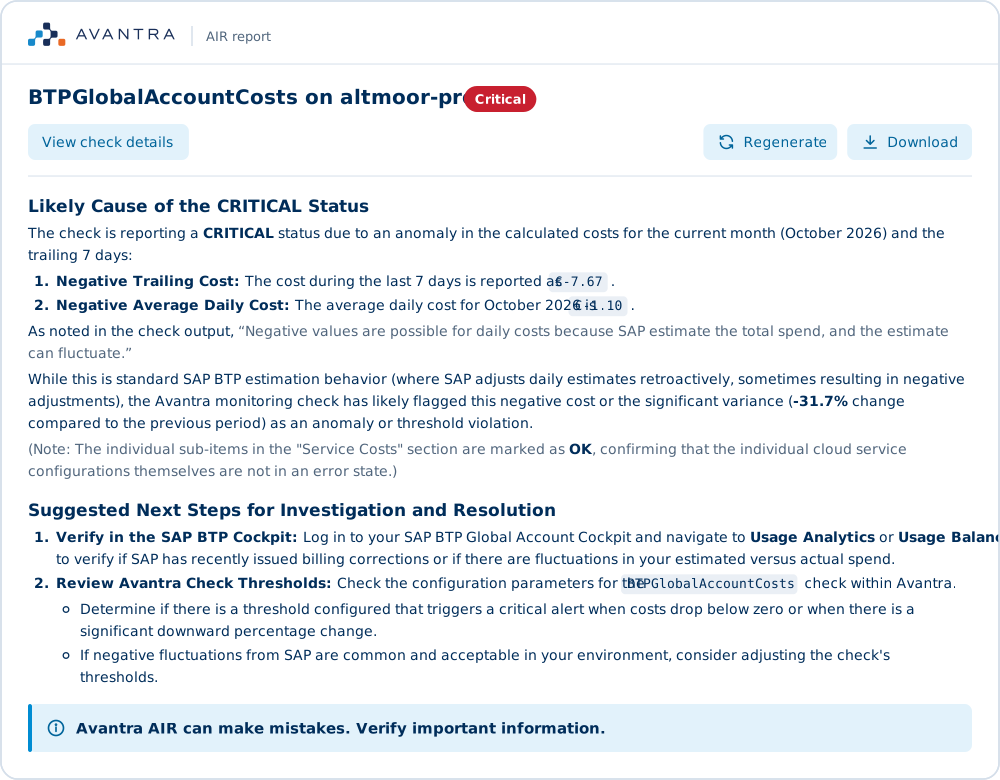
Plain-language root cause reports for SAP alerts
Avantra AIR is trained on a generation of SAP operations expertise, so the AI root cause report is one your whole team can act on, not only the engineers who have seen this failure before. Open the system, open the check and generate the report, with no separate console.
- A written explanation of the result, the evidence it rests on and the next best action
- Regenerate the report if the check has changed since the report was written
- Export as a PDF for the incident record, a customer or a post-incident review
- Works on checks across SAP systems, databases, servers, BusinessObjects, cloud services and BTP objects
Fewer false alarms
Dependency-aware checks that cut SAP alert noise
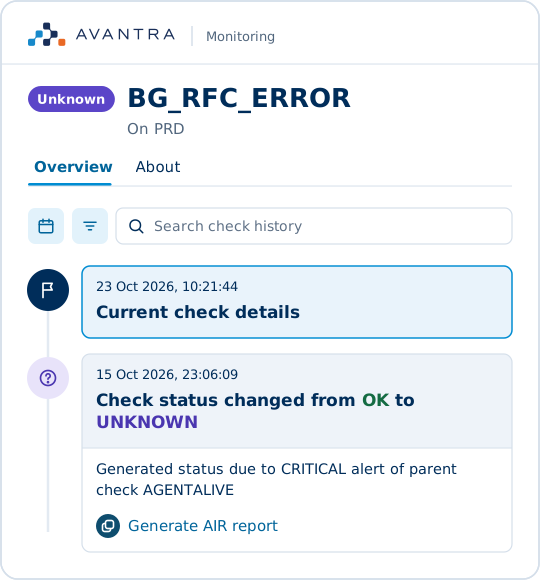
Every Avantra check result is evaluated with the results of the checks upstream of it in mind. The AI root cause report builds on those dependencies.
- When a parent check fails, dependent checks report Unknown instead of turning red
- Teams see the cause rather than a wall of unrelated alerts
What it analyzes
What Avantra AIR analyzes: history, changes, performance and runbooks
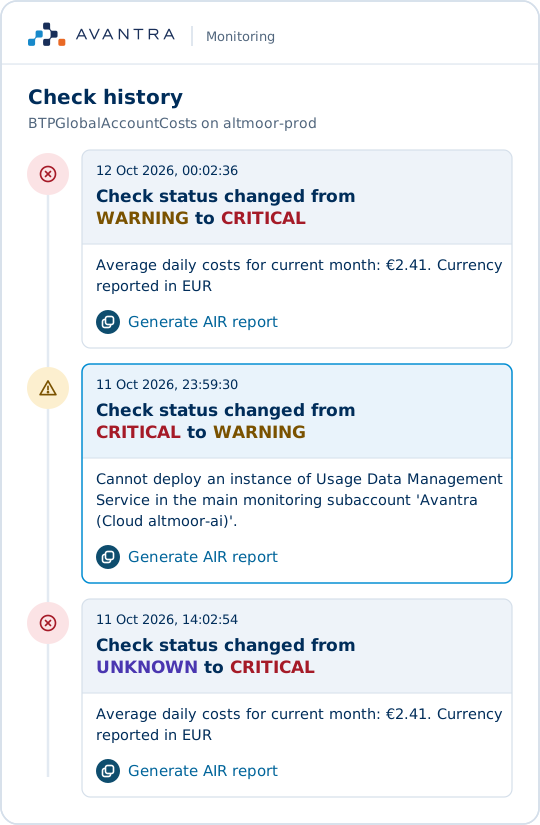
Every AI root cause report draws on the monitoring data Avantra already collects across your SAP landscape.
- History of every check, for real-time monitoring and daily checks
- 14 classes of SAP, database and cluster change detected automatically, from kernel levels to cluster node switches
- Performance data compared across the stack in one view
- Your own runbooks attached to checks, systems and changes
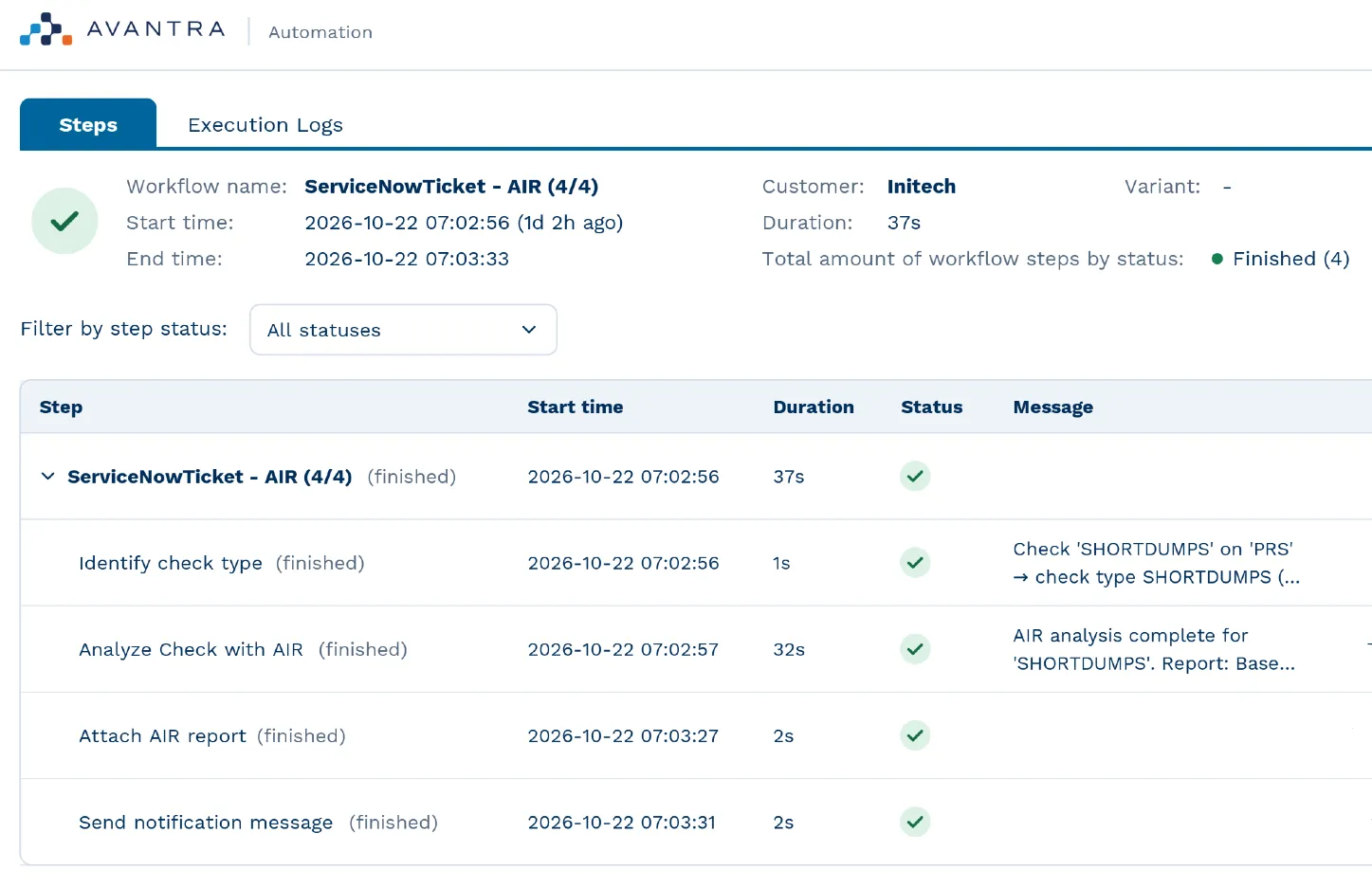
Automation
Automated root cause analysis that runs when a check fires
Build AI root cause analysis into your Avantra automation workflows, so diagnosis starts the moment a problem is detected.
- The analysis runs as soon as a check fires
- Event Management gets the alert to the right team
- When the team opens the check, the explanation and next best action are already there
Purpose-built for SAP operations. Proven across global landscapes.

Monitor Cloud ERP migration
Leading Polymer Production Company
“Solution Manager [implementation] time and effort were a dealbreaker”


Proactive observability and automation
x1F Financial Services
“Avantra not only solved our biggest pain point in monitoring, but also opened the door to automation”


Observability and automation at scale
Protera
“We can manage many, many servers with clicks of buttons instead of human intervention.”
More on AI root cause analysis
Blog post
Stop guessing, start fixing: AI root cause analysis
Blog post
The battle for control: introducing Avantra AIR
Blog post
Unlocking the power of private AI for your SAP landscape
An alert tells you what went red, not why
In a large SAP landscape, dozens of systems, hundreds of metrics and external integrations sit between the symptom and the cause.
The cause is upstream
A full log volume behind a stalled job, or a parameter change behind a rise in short dumps.
The knowledge sits with one person
The engineer who has seen this failure before is not always on shift.
Alert fatigue buries the real problem
A wall of red hides the one result that matters. Teams lose time triaging symptoms instead of fixing the cause.
Level 1 waits for level 3
Without an explanation, incidents queue for the most senior engineers, and resolution waits on their availability.
How Avantra AIR handles your SAP data
Avantra AIR does not train on customer data, and processing stays in the EU.
No training on your data
Avantra AIR does not use customer data to train its AI model.
Zero data retention
Avantra AIR has zero data retention.
Processing in the EU
Avantra AIR processes data in the EU.
ISO 27001 certified
The Avantra AIR service is ISO 27001 certified.
How Avantra AIR goes from red check to next step
Open the check
Start from any alerting check on a monitored system.
Generate the report
Generate the AI root cause report with one click, or automatically from an automation workflow when the check fires.
Review the cause and evidence
The report gives a plain-language explanation and the data it rests on.
Act and share
Follow the next best action, export a PDF or send the report to your ITSM system.
Frequently asked questions
Have questions? We've answered the most common ones. Reach out if you'd like to know more.