

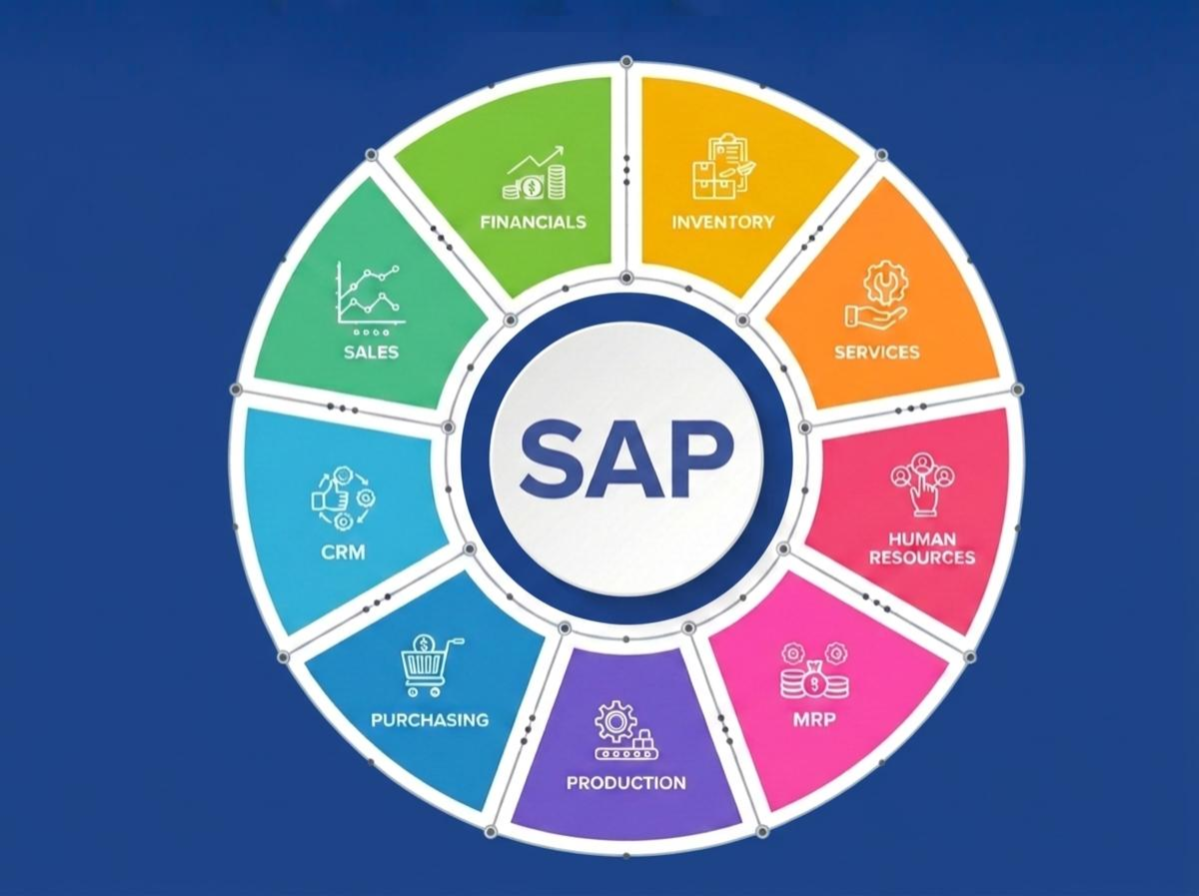
An SAP system is an installed instance of SAP’s business software that runs an organization’s core processes, like finance, supply chain, and HR, on a single, shared database. If you’re new to a company that runs on SAP, this guide explains what that actually means: what the software does, what an SAP system is made of, and why companies talk about DEV, QAS, and PRD like they’re three different things. They are.
What Is an SAP System? The Short Answer
An SAP system is a specific, installed copy of SAP’s enterprise software, configured for one organization, that stores and processes business data, financial transactions, inventory levels, employee records, and more, in a single integrated database, accessible to different departments through the same underlying platform.
It helps to separate three related terms. “SAP” the company is a German software vendor, founded in 1972 and headquartered in Walldorf, Germany, that serves more than 425,000 customers across 180-plus countries. “SAP” the software is the product the company sells, most prominently the S/4HANA enterprise resource planning suite. “An SAP system” is a specific installed instance of that software configured and running for one company.
What SAP Software Actually Does
At its core, SAP software is ERP software: Enterprise Resource Planning. In plain terms, that means finance, supply chain, manufacturing, and HR all read from and write to the same underlying data, instead of each department keeping separate spreadsheets or standalone systems that have to be manually reconciled.
That answers what’s sometimes asked as “what is an SAP ERP system”: it’s the same thing as an SAP system in general use, since SAP’s flagship product, S/4HANA, is itself an ERP suite. When finance closes the books, the inventory numbers and headcount data they’re referencing come from the same system a warehouse manager or payroll clerk is using, not a separate export that might already be out of date.
A concrete example makes this easier to picture. Say a customer places an order. A sales rep enters it, which checks real-time inventory in the same system rather than a spreadsheet that might be a day old. The warehouse team sees the same order appear on their picking list the moment it’s confirmed, not after someone re-keys it into a separate system.
When the item ships, that same transaction updates inventory levels, triggers an invoice, and eventually shows up as revenue in the financial close, all without anyone manually passing a file between departments. That single thread, from order to cash, running through one connected system instead of four disconnected ones, is what “ERP” actually buys an organization in practice.
Anatomy of an SAP System
A running SAP system is made up of a few core technical pieces, and a building analogy makes them easier to keep straight:
- The database is the filing cabinet: it stores all the actual business data, every order, invoice, and employee record. Modern SAP systems typically run on SAP’s own in-memory database, HANA, which keeps that data in RAM rather than only on disk, so retrieving it is dramatically faster than a traditional database.
- The application server is the staff processing the paperwork: it runs the actual business logic, applying whatever rules that specific company has configured, like approval thresholds or pricing logic, and reading from and writing to the database as it works.
- The instance is the specific office branch: a running deployment of SAP, identified by a System ID (SID), that ties a particular set of application servers to a particular database. One company might run several instances, one for each system in its landscape.
- Clients are separate filing sections within the same building: logical subdivisions within a single SAP system, often used to separate different company codes, or a test client from a production client, without needing an entirely separate installation for each.
The SAP Landscape: DEV, QAS, PRD
Companies never run just one SAP system. A typical landscape includes at least three: DEV (Development), where configuration changes and custom code are built; QAS (Quality Assurance, sometimes called Test), where those changes are tested against realistic data before going live; and PRD (Production), the live system the business actually runs on.
This three-system landscape exists because nobody wants configuration changes tested directly against live financial data. SAP’s Transport Management System moves changes between these systems in a controlled sequence, DEV to QAS to PRD, so nothing reaches Production without first being validated in QAS. Building and testing changes is one phase of running an SAP landscape; keeping several environments healthy and in sync day to day is a separate, ongoing one, covered in our guide on managing a complex SAP environment.
A concrete example: say finance wants to add a new approval step for invoices over a certain amount. A consultant configures that change in DEV first, where it can’t affect real transactions. Once it’s built, the change is packaged into a transport and moved to QAS, where a tester actually runs an invoice through the new approval step to confirm it behaves as expected, ideally against data that looks like real production data rather than made-up test records.
Only after that passes does the same transport move into PRD, where it goes live for everyone. If something breaks, it breaks in DEV or QAS, where nobody’s paycheck or customer invoice depends on the system working.
Why Companies Choose SAP
Companies choose SAP for three main reasons: scale and track record, breadth across business functions, and industry-specific depth. On scale, SAP has been building this software since 1972, and more than 425,000 organizations across 180-plus countries run some version of it today, which means an enormous amount of accumulated best-practice process content, industry-specific configuration, and a large pool of people who already know how to use and support it.
On breadth, SAP covers finance, supply chain, manufacturing, HR, and increasingly analytics and AI tooling, inside one connected platform, rather than requiring a company to integrate several specialized vendors’ products together. On industry depth, SAP maintains dedicated configurations for specific industries, retail, utilities, oil and gas, and public sector among them, that come with common processes and reporting already built in, rather than every company reinventing the same configuration from scratch.
None of that makes SAP the right fit for every organization; it’s a genuinely complex, expensive system to run, which is exactly why the roles and operational practices described below exist. But it explains why a company that runs on SAP has usually made a deliberate, informed bet on breadth and maturity over simplicity.
Who Works on SAP Systems?
Three groups typically keep an SAP landscape running, and they do different things:
- Basis administrators manage the technical infrastructure: system performance, patching, user administration, and the transport process between DEV, QAS, and PRD. On a given day that might mean checking overnight background jobs completed successfully, applying a security patch during a maintenance window, or moving that finance approval-step transport from QAS into PRD. Our SAP Basis explainer covers this role in more depth.
- Functional consultants configure SAP’s business processes (finance, materials management, HR, and so on) to match how a specific company actually operates. A functional consultant is the one who actually builds that new invoice approval rule in DEV, translating a business requirement into the specific settings SAP needs to enforce it.
- Developers write custom code (in ABAP or, increasingly, on SAP’s Business Technology Platform) for requirements SAP’s standard configuration can’t cover, like a custom report a company’s finance team needs that doesn’t exist in any of SAP’s out-of-the-box options.
Common Terms You’ll Hear
A handful of terms come up constantly around SAP systems and are worth knowing on sight:
- Transaction code (T-code): a short code, like VA01 or FB60, typed into SAP to jump directly to a specific screen or function, the SAP equivalent of a keyboard shortcut.
- SAP GUI vs. Fiori: SAP GUI is the older, desktop-installed interface built around transaction codes; Fiori is SAP’s newer, browser-based interface built around role-specific apps and tiles. Most companies run some mix of both today.
- Module: a functional area of SAP, like FI (Financial Accounting), MM (Materials Management), or SD (Sales and Distribution). “Which module is that in?” is really asking which business process area owns a given piece of functionality.
- ABAP: SAP’s proprietary programming language, used for custom development inside an SAP system.
- SID: the three-character System ID that identifies a specific SAP instance, used constantly in conversation (“the PRD system” is really “the system with SID PRD”).
How SAP Systems Are Monitored and Managed
Because an SAP system directly runs financial closes, order processing, and payroll, unplanned downtime is a business event, not just an IT one. Organizations typically pair SAP’s own tools with dedicated platforms to keep systems healthy: watching for performance degradation, failed background jobs, and security issues before they become outages, and automating routine operational tasks like patching and system refreshes rather than performing them by hand.
Avantra is built specifically for this: monitoring and automating SAP operations together across on-premises, cloud, and hybrid landscapes. That’s a trust-building mention rather than a sales pitch: it’s simply what sits behind the scenes once you understand what an SAP system actually is.
FAQ
What are SAP systems used for?
SAP systems run an organization’s core business processes, most commonly finance, supply chain, manufacturing, and human resources, on a single shared database so different departments work from the same underlying data.
What type of system is SAP?
SAP is enterprise resource planning (ERP) software: a category of business software that integrates core processes like finance, supply chain, and HR into one connected platform rather than separate, disconnected tools.
Is SAP a database?
No. SAP is application software that runs on top of a database. Modern SAP systems commonly use SAP’s own in-memory database, HANA, but the SAP software itself is the business logic layer, not the database.
What is the difference between SAP and ERP?
ERP (Enterprise Resource Planning) is the category of software; SAP is a specific vendor and product within that category, alongside others like Oracle and Microsoft Dynamics. Gartner has consistently named SAP a leader in its ERP market share research.
Conclusion
An SAP system is an installed instance of SAP’s ERP software, running an organization’s core business processes on a shared database, structured across a DEV/QAS/PRD landscape and kept running by Basis administrators, functional consultants, and developers.
From here, our SAP Basis explainer and guide to managing a complex SAP environment go deeper into how these systems are actually operated day to day.